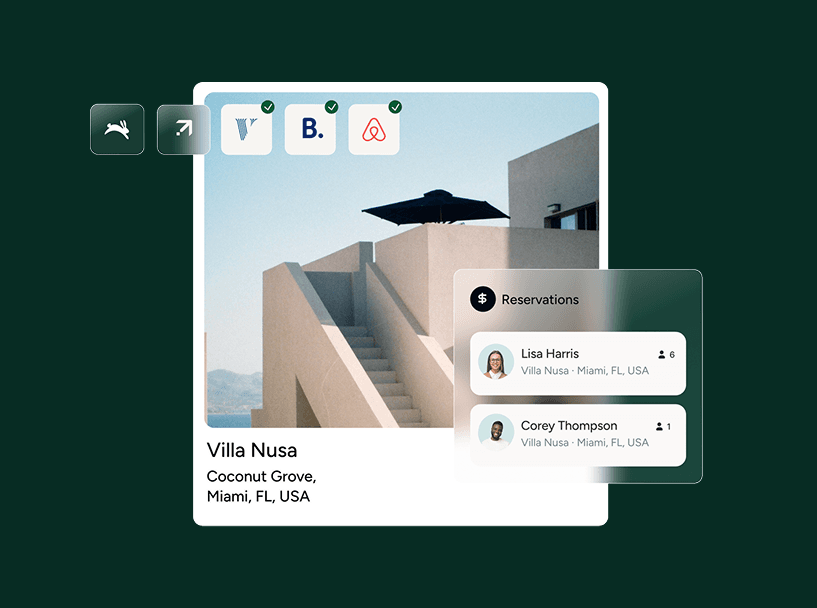
If your property is only listed on Airbnb, you are invisible to half the market and leaving money on the table. Listing on multiple sites like Vrbo and Booking.com is the baseline for running a profitable short-term rental business.
Creating new listings is straightforward. The real challenge is managing the operational chaos that follows. How do you keep calendars updated in real time? How do you prevent a guest from booking a property on Vrbo that was just booked on Airbnb two minutes ago? The risk of double bookings, angry guests, and ruined reviews makes many hosts stick to a single platform.
This is a solved problem. With the right process and tools, you can distribute your listing across every major booking channel, automate the synchronization, and manage everything from a single dashboard. This guide shows you how.
TL;DR
- Listing on multiple channels maximizes your visibility, occupancy, and revenue.
- Start by creating a perfect “master” listing with high-quality photos and descriptions.
- Choose a strategic mix of channels based on your property type and target guest.
- A channel manager is non-negotiable. It automatically syncs your calendars and rates to eliminate double bookings.
- Customize your listing content and pricing for each platform to improve booking performance.
- Use smart automation to manage the increased workload from guest communication and inquiries.
Why listing on multiple channels is a game-changer for revenue
Staying on one platform feels safe, but it puts an artificial ceiling on your income. Expanding your distribution is the single fastest way to increase your booking revenue.
Reach more guests and increase visibility
Different travelers search on different platforms. A family planning a week-long vacation often starts on Vrbo. A business traveler or European tourist is more likely to use Booking.com. By listing on multiple sites, you put your property in front of a much wider, more diverse audience of potential guests.
Maximize your occupancy and revenue
More visibility directly translates to more bookings and fewer empty nights on your calendar. By capturing demand from every corner of the market, you fill occupancy gaps and dramatically increase your potential revenue. This is especially critical during your shoulder seasons.
Reduce your reliance on a single platform
Relying on one online travel agency (OTA) for all your bookings is risky. A change in their algorithm, a new policy, or an unfair negative review can cripple your business overnight. Diversifying across multiple channels gives you stability and control over your own success.
The 5-step process for multi-channel listing
Follow this five-step process to expand your distribution methodically and avoid the common pitfalls.
Step 1: Perfect your “master” listing
Before you list anywhere else, perfect your original listing. This will be your single source of truth. Create a folder with everything you need:
- High-resolution photos: 25-30 professional photos covering every room, the exterior, and key amenities.
- Compelling descriptions: A headline, a short summary, and a detailed property description. Write them once, and write them well.
- Amenity checklist: A complete list of every amenity you offer.
- House rules and policies: Your finalized rules for check-in, check-out, pets, and cancellations.
Having this master file turns creating new listings into a simple copy-and-paste job.
Step 2: Choose the right mix of booking channels
Do not just list everywhere. Be strategic. Choose the platforms where your ideal guests are already searching.
- Airbnb: Best for unique stays, urban apartments, and attracting a broad, global audience.
- Vrbo: Dominates the market for traditional vacation homes, family travel, and longer stays.
- Booking.com: A powerhouse for international travelers and hotel-style apartment buildings. It often attracts guests who book last-minute.
Start with the top two or three platforms that best fit your property type. You can always expand later.
Step 3: Connect a channel manager to prevent double bookings
This is the most critical step. A channel manager is software that connects to all your OTA listings and synchronizes your data automatically. When a guest books your property on one site, the channel manager instantly blocks those dates on every other site.
Boost your short term rentals today
There are two ways to sync calendars: iCal and API. iCal connections can have delays of up to several hours, leaving a dangerous window for double bookings. You need a vacation rental management software platform with a direct, API-based Channel Manager. This ensures your calendars and rates are updated in real time. All your reservations from every channel appear in one central Multi-Calendar, giving you a complete and accurate view of your availability.
Step 4: Customize your listings for each platform
While your master listing is the foundation, you must tailor the content for each channel’s audience and format.
- Headline: Airbnb rewards creative, descriptive headlines. Booking.com favors clear, direct headlines with property type and location.
- Photos: Reorder your photos to lead with what matters most on that platform. For Vrbo, a photo of the family-friendly living room or backyard might be your best lead image.
- Description: Adjust the tone. You might use a more personal, host-driven voice on Airbnb and a more professional, hotel-like tone on Booking.com.
Step 5: Implement a channel-specific pricing strategy
Do not use the same nightly rate on every channel. Each OTA has a different commission structure, and you need to price accordingly to protect your margins.
- Calculate your base rate: Determine the minimum amount you need to earn per night.
- Add channel-specific markups: Add a percentage to your base rate on each channel to cover its commission fee. For example, if Booking.com charges a 15% commission, you might add a 15-18% markup to your rates on that platform.
Setting a 15% markup on Booking.com to cover commissions is standard. But if that prices you out of the local market, you gain nothing. Always check your final price against competitors on that specific channel. Using a dedicated Revenue Management tool lets you automate these rules and apply them across all your listings.
Comparing the top booking channels
Use this table to make a quick decision on where to list first.
| Feature | Airbnb | Vrbo | Booking.com |
|---|---|---|---|
| Target Audience | Millennials, solo travelers, unique experience seekers | Families, groups, traditional vacationers | International travelers, business travelers, last-minute bookers |
| Commission Structure | Host-only fee (14-16%) or split-fee (3% host, ~14% guest) | 5% per booking + 3% payment processing fee, or annual subscription | 15% per booking (host-only fee) |
| Best For | Apartments, unique stays, cabins, shared rooms | Houses, villas, condos, lakefront properties | Aparthotels, serviced apartments, traditional rentals |
Beyond syncing: how to automate and scale your operations
Adding more channels solves your revenue problem, but it creates an operations problem. More bookings mean more guest messages, more cleaning schedules, and more potential issues. Manually managing this new volume is impossible. This is where the equation of more listings = more work breaks down.
Modern vacation rental management software acts as your AI workforce. It uses a coordinated system of AI agents to execute the day-to-day work of running your business.
- Communication agents handle routine guest inquiries, suggest replies with full business context, and even automate responses based on your rules.
- Marketing agents adjust your listing descriptions for each channel, ensuring you rank higher and convert more searches into bookings.
- Revenue agents monitor market conditions and adjust your channel-specific pricing strategies to maximize income from every booking.
This level of automation allows you to scale your distribution and your portfolio without scaling your headcount. Your team can focus on strategy and guest experience, not repetitive tasks.
Scaling your portfolio with the right partner
The tools you need change as you grow. The right software partner provides a clear path for scaling from your first listing to your five-hundredth.
Guesty® Lite™ is designed for hosts managing 1-3 properties. It gives you the core tools, like a channel manager and unified inbox, to professionalize your operation.
Guesty® Pro™ is built for professional property managers with 4-499 listings. It provides a deeper feature set for managing complex operations, finances, and owner relationships at scale.
Guesty Enterprise™ offers custom solutions for large-scale hospitality brands managing 500+ properties, with an open API and advanced analytics.