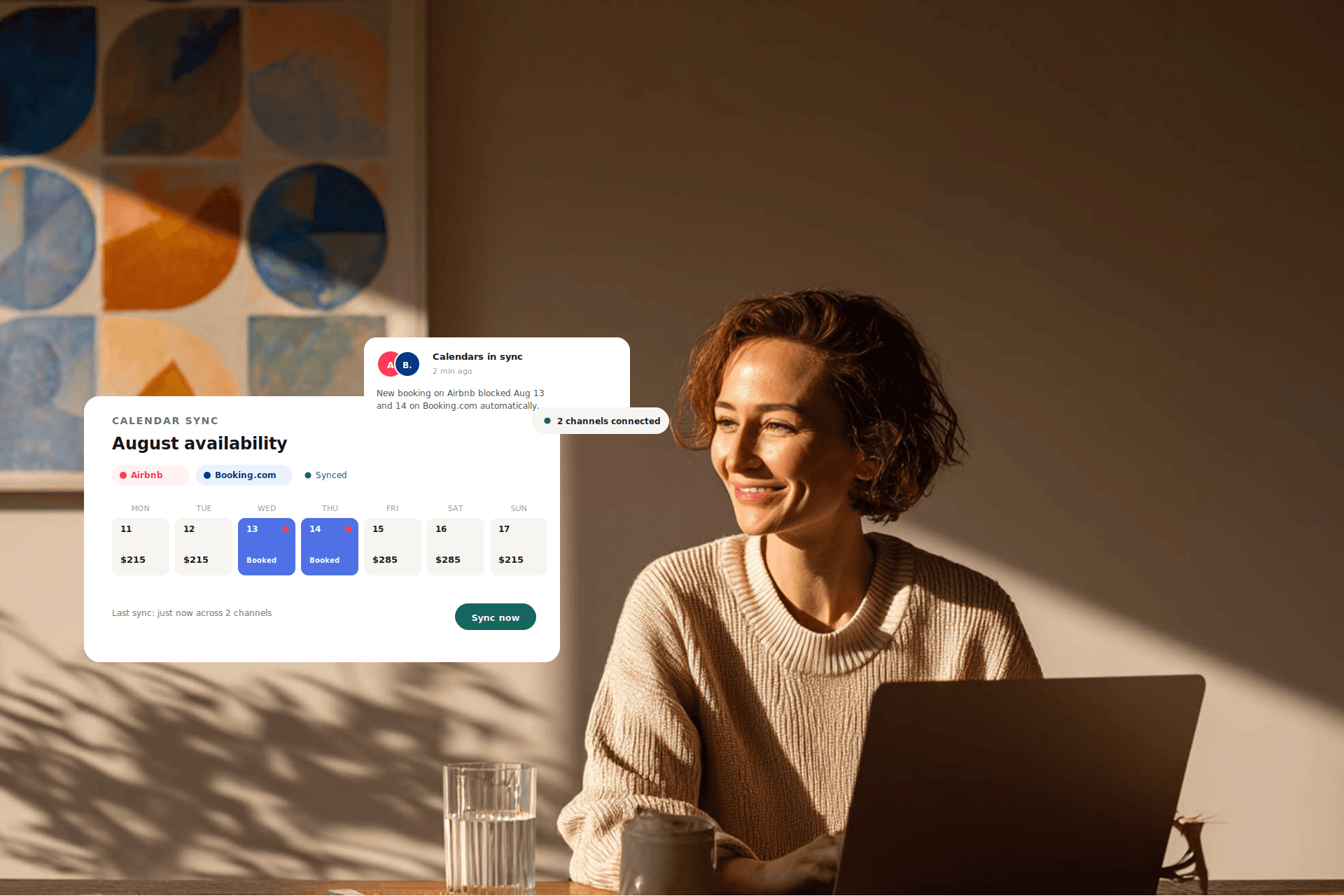
New hosts often start on Airbnb before realizing that growth requires the visibility of platforms like Booking.com. Managing two separate calendars manually leads to errors and missed updates. The fear of double bookings often keeps hosts checking their phones late at night, but the manual “sticky note” method cannot scale with a growing business. You need a reliable synchronization strategy to protect your revenue and operational control.
TL;DR
- Calendar syncing prevents double bookings and protects your search ranking on both platforms.
- iCal is a free method that uses a link to share basic availability with a significant time delay.
- API connections offer real-time synchronization of prices, availability, and guest data.
- Manual syncing involves exporting an iCal link from one platform and importing it into the other.
- The sync lag in iCal links can leave your calendar vulnerable for several hours.
- Channel managers like Guesty provide professional, instant synchronization for multiple listings.
The importance of calendar synchronization
Every time you receive a booking, you must block those dates on every other platform where your property is listed. Missing an update creates a costly double booking rather than a simple operational delay. This is an expensive mistake that impacts your bottom line and platform standing.
Double booking penalties
Both Airbnb and Booking.com penalize double bookings heavily. If you cancel a reservation because dates were already taken, you face financial penalties. On Booking.com, you may be required to cover the cost of relocating the guest to a similar or better property nearby, often exceeding the revenue of the original booking.
Search ranking protection
Cancellations due to double bookings serve as a major red flag for platform algorithms. High cancellation rates lead to lower search visibility, dropping your property to the bottom of results and making it harder for guests to find you. Maintaining a perfectly synced calendar is the most effective way to keep your listing profitable.
Comparing iCal and API syncing
Hosts must distinguish between iCal and API connections to manage their portfolios effectively. iCal functions as a scheduled status update where one platform periodically checks a link for blocked dates. API serves as a direct, constant connection between two software systems.
| Feature | iCal Sync | API Integration | Impact/Recommendation |
|---|---|---|---|
| Sync Speed | Significant delay | Real-time / Instant | API is required for high-volume listings. |
| Data Shared | Availability only | Availability, Pricing, Guest Details | API reduces manual data entry for check-ins. |
| Reliability | Medium (Links can break) | High (Direct connection) | API provides better protection against overbooking. |
| Setup Cost | Free | Usually requires a subscription | Use iCal for 1 unit; use API for growth. |
Manual iCal synchronization
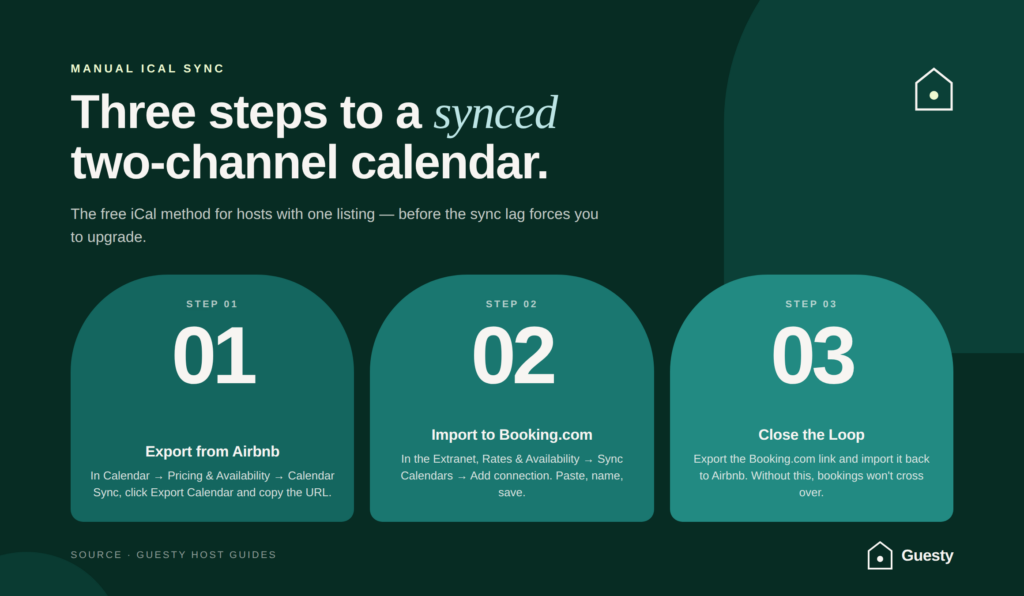
If you are starting with one listing, you might choose the manual iCal method to create a connection between the two platforms.
Step 1: Export your Airbnb calendar link
Log in to your Airbnb hosting account. Go to your Calendar and select the listing you want to sync. Navigate to Pricing and Availability and scroll down to the Calendar Sync section. Click Export Calendar and copy the URL that appears.
Step 2: Import the link into Booking.com’s Extranet
Open your Booking.com Extranet. Go to Rates & Availability and select Sync Calendars. Click Add calendar connection. Paste the Airbnb URL into the “Link to your calendar” field, name the connection, and save it.
Step 3: Export your Booking.com calendar and import back to Airbnb
Complete the loop by exporting the Booking.com link from the same menu and pasting it into the Import Calendar section back on Airbnb. Without this step, Airbnb will not recognize bookings made through Booking.com, leading to inventory conflicts.
How to verify your sync is active
Boost your short term rentals today
After setting up the links, look for a “Status: OK” or “Last synced” timestamp on both platforms. Check your calendar for blocked dates. If an Airbnb reservation appears as a blocked date on Booking.com, the link is functional. Dynamic pricing helps increase revenue, but for niche properties, irregular demand requires manual oversight.
The risks of relying solely on iCal links
While iCal is a common starting point, it has significant operational flaws. It is a “pull” technology, meaning platforms do not receive updates instantly and must wait for the next scheduled refresh to see new bookings.
The multi-hour sync lag window
The most dangerous part of iCal is the delay, as some platforms only refresh their feeds every few hours. A guest might book a weekend on Airbnb at 3:00 PM, but if the iCal feed does not refresh until 6:00 PM, your property remains available on Booking.com. If another guest books during this window, you face a double booking.
Missing guest communication and reservation details
iCal links only tell the receiving platform that a date is blocked, omitting the guest’s name, phone number, and booking price. You must switch between apps to see guest details, which makes it difficult to coordinate cleanings or send check-in instructions. This lack of transparency increases the administrative workload for every reservation.
Scaling your business with a channel manager
As you move beyond your first listing, the manual risks of iCal become unsustainable. Professional operators use vacation rental management software to handle these connections via API. Guesty® is a Booking.com Premier Connectivity Partner, offering a high tier of integration for faster and more reliable connections.
Real-time synchronization across various channels
Instead of managing individual links, you connect all accounts to a central hub. When a booking occurs on any channel, every other platform updates instantly, eliminating the sync lag. This provides operational security and allows you to focus on guest execution rather than manual updates.
Managing multi-units and complex listing types
Booking.com often handles multi-unit setups where you have several identical apartments. iCal frequently struggles with this complexity, but a professional system manages these units as a single inventory to ensure you never overbook your building.
Centralizing guest communication in a unified inbox
A channel manager pulls all guest messages into one feed, removing the need to log into multiple apps. Whether the guest messaged through Airbnb or Booking.com, you respond from one place. This streamlines the workflow and ensures no guest questions go unanswered.
Troubleshooting common calendar sync errors
Even with a professional setup, technology can sometimes glitch, resulting in “Sync Failed” or “Invalid URL” messages in your dashboard.
What to do when dates aren’t blocking correctly
If you notice a discrepancy, check the “last synced” time first. If it was hours ago, force a manual refresh by clicking the button in your channel settings. If that fails, delete the link and re-import it to fix temporary communication errors. A guest might arrive for a check-in only to find the unit occupied because the calendar sync failed without an alert.
Handling “Export Failed” or “Invalid URL” errors
These errors usually happen when a URL is copied incorrectly or a platform changes its link structure. Ensure you are copying the entire URL, starting with `https://`. Professional software makes this easier, as Guesty® Pro™ includes self-service troubleshooting tools that provide clear explanations of Booking.com error messages directly in your dashboard.
For any property using smart locks or noise monitors, disclose these in your listing description and house rules to stay compliant with platform policies.
As your portfolio grows, Guesty Lite™ provides the tools to automate your calendar and messaging for up to three listings. Guesty Pro™ offers more advanced features like the unified inbox and sophisticated reporting for larger operations. For massive portfolios, Guesty Enterprise™ provides high-level data management and custom permissions. Guesty also offers support services for 24/7 guest communication.