
TL;DR:
AI automation for guest communications sends timely, personalized messages across email, SMS, WhatsApp, and your PMS without manual typing every time. It saves hours on FAQs and check-in logistics while keeping replies consistent and on-brand. This guide covers how to choose tools, set up automation rules, and balance AI with the human touch.
As a host, you’re constantly juggling marketing, maintenance, and the guest experience all at once. Every booking brings a wave of messages: confirmation questions, check-in details, Wi-Fi passwords, local recommendations.
Integrating AI automation for guest communications clears the repetitive work so you can focus on what actually grows your business.
What is AI automation for guest communications?
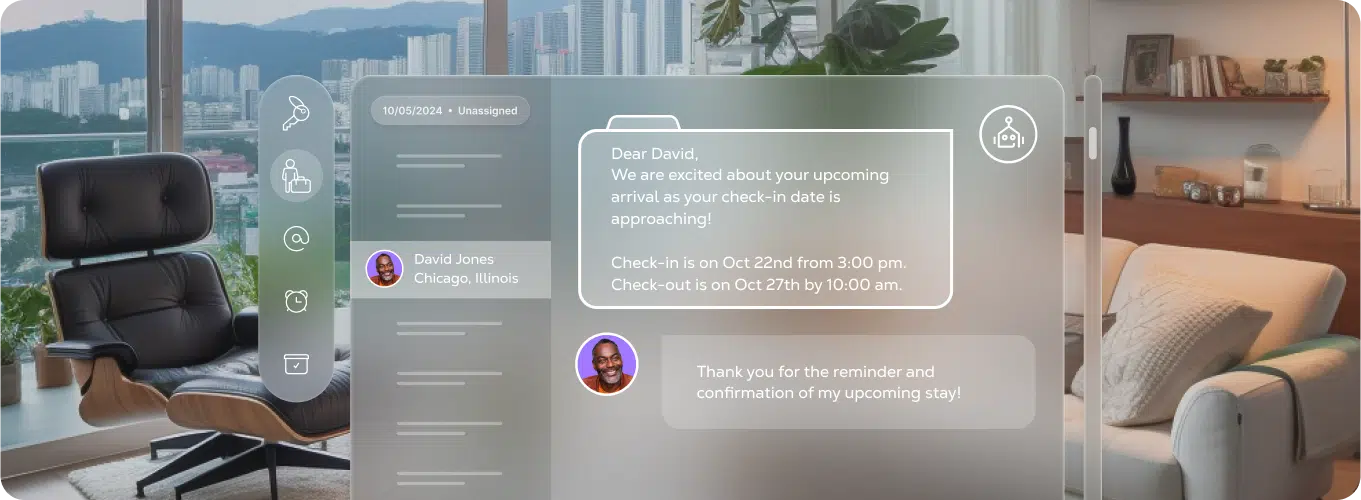
AI automation for guest communications is the use of software to send the right message to each guest at the right time — from booking confirmations and check-in details to in-stay support and review requests — without typing the same thing over and over. You set the triggers, customize the templates, and let the system handle delivery while you run the rest of the operation.
How can AI help you?
The direct advantage of bringing AI into guest messaging:
- Hours saved: Stop copying and pasting the same check-in instructions 30 times a week
- Consistency: Every guest gets accurate info, spelled right, sent on time
- 24/7 coverage: Common questions answered at 2am without you waking up
- Scalability: Add 10 properties without adding 10 hours of inbox work
A 25-unit operator might field 300+ guest messages a week. Automated guest messages handle the routine questions about check-in, Wi-Fi, and parking — freeing your team to focus on special requests, issues, and the conversations that actually need a human.
Make sure you choose the best tools
Not all guest messaging automation tools are built the same. Before you commit, run through this checklist:
- Direct PMS integration: Does it sync with your property management software?
- Multi-channel support: Can you reach guests via email, SMS, and WhatsApp from one place?
- Flexible templates and rules: Can you customize triggers for different property types and reservation lengths?
- AI features: Does it offer smart replies, personalization, or sentiment detection?
- Clear analytics: Can you track open rates, response times, and message performance?
With Guesty, you can centralize all of this. Unified Inbox pulls Airbnb, Booking.com, Vrbo, email, WhatsApp, and SMS conversations into one view. Automation Tools let you build workflows triggered by booking events — confirmation, pre-arrival, mid-stay, checkout. ReplyAI suggests responses for 98%+ of incoming messages, adapts tone to match guest sentiment, and even translates messages automatically. And if you need backup, Guest Communication Services puts experienced agents on your overflow.
How to get set up
Follow this sequence to launch your first automated guest messaging workflows:
1. Map your guest journey. Identify the key touchpoints: booking confirmation, pre-arrival (1-3 days out), check-in day, mid-stay check-in, checkout, and post-stay review request.
2. Choose your channels. Decide whether each message goes via the OTA platform, email, SMS, or WhatsApp based on urgency and guest preference.
3. Draft templates for each touchpoint. Write once, then customize with dynamic fields like {guest_first_name}, {property_name}, {check_in_time}, and {door_code} — pulled directly from your PMS.
4. Configure triggers. For example: send a “welcome tomorrow” SMS at 10:00 the day before arrival, or fire a checkout reminder 2 hours before departure.
5. Test end-to-end. Send every automation to yourself or your team before going live. Catch typos, broken links, and awkward timing now.
6. Review performance regularly. Sample 10-20 real conversations each month. Look for outdated info, awkward phrasing, or messages that miss the mark.
Assign one owner for message templates and one for monitoring escalations. This prevents “automation by committee” and keeps changes from slipping through the cracks.
Don’t forget the human touch
AI handles volume. Humans handle nuance. Keep real people in the loop for:
- Complaints and emergencies: A burst pipe needs a call, not a template
- Unusual requests: Film shoots, wedding parties, early check-ins requiring owner approval
- Refunds or sensitive issues: Anything involving money or reputation
- VIP treatment: Repeat guests or long stays deserve a personal note
You can blend both. Your birthday template can be automated, but a team member can add a quick handwritten line for your best guests. Efficiency and warmth aren’t mutually exclusive.
On the privacy side: avoid sending passport photos or full credit card details over messaging. Make sure your tools store guest data securely and only for as long as needed.
Keep it together
Running all automations and conversations from one short-term rental PMS means fewer missed messages, fewer conflicting templates, and clearer reporting on what’s working. When your Unified Inbox, automation rules, and AI tools all live in the same place, you spend less time switching tabs and more time improving guest experience.
FAQ
Most operators launch their first automated workflows in a few hours. The setup time depends on how many properties and touchpoints you’re automating — start with the basics (confirmation, check-in, checkout) and expand from there.
No. It handles repetitive messages so your team can focus on complex issues, high-value guests, and the conversations that actually need human judgment.
Yes — most property management platforms, including Guesty, integrate directly with major OTAs so your automations send through the booking channel or via email and SMS.
Aim for under 5 minutes on common questions. By combining a Unified Inbox with automation rules, many operators hit sub-minute response times for FAQs.

Guesty’s talented marketing team is comprised of passionate professionals who share insightful industry knowledge and shape brand narratives. By bringing a diverse blend of expertise to the table, we are the visionary architects behind the Guesty brand and innovative campaigns that help people understand our product.